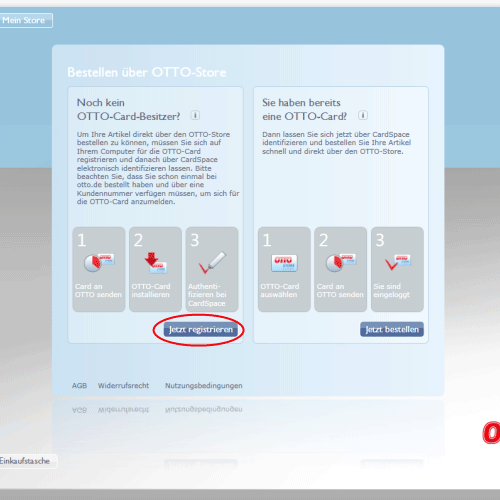
It’s out, it’s official, and I’m finally allowed to discuss it: the project on which I’ve spent a fair bit of time in the last six months is online. Almost anyone who reads this blog is certain to have at least a vague idea of how a web site comes into being, but most of you are unlikely to have any idea how an application for Windows Vista goes from being an idea to becoming a product.
This will be the first in a few posts discussing various aspects of the OTTO Store development process. Keep in mind I’m a designer, so there won’t be any ingenious code snippets, no opinions on .Net and no advice for improving performance. I’ll just be relating what I can about how we got the OTTO Store to where it is, what I learned on the way, and what I think of the process.
For quite a few months, day in and out, my constant companion has been Blend, which means it’s earned the right to have a whole post dedicated to it.
What’s the Big Deal?
First off, for those new to the whole subject, here’s the quick run-down. Microsoft’s new operating system, Vista, is a big step beyond the Windows we all know (and love, or love to hate). I won’t go into the details (because I’m not techie enough) but as I understand it, Microsoft started from the ground up and rebuilt the whole thing. One of the things they invented along the way was XAML, which is pronounced “zammel” and stands for eXtensibel Application Markup Language. At first it sounds a lot like XML, but the “A” is XAML hints at the important difference: XML is “a markup language for documents containing structured information” (from xml.com), but XAML describes and defines applications, not documents. This difference, and what a big deal it is, should become apparent shortly.
What Blend Is
Blend is a program, codenamed “Sparkle” during its development, which belongs to the Microsoft Expression suite of tools. XAML is a markup language, which of course means you can edit it in a text editor, but if you want to work visually with XAML, you need Blend. During the development of the OTTO Store, we were working in partnership with Microsoft, so we had access to Blend from the early alpha phases on to today’s beta 2 version, which you can download and try out for yourself.
The idea behind Blend is one that it took some getting used to. You can draw shapes (all vector based) define colours, set type, whatever. But as you’re doing this, Blend is generating XAML in the background, i.e. Blend is a WYSIWYG XAML editor. You can also switch to a XAML view, and edit the markup directly. Most designers I’ve described this to have said, “oh yeah, I know that from Dreamweaver and GoLive.” Well, yes, sort of. The big difference is that with GoLive you’re only fiddling with HTML, which means you’re only defining structure for your texts and images, but you’re not creating the images themselves. In Blend you usually are, the exception being bitmaps, which you import from elsewhere. And in Blend, you’re producing layouts and graphics for an application, not a web page, which means when you’re done, your XAML will be compiled and displayed in a window like any other app. No Explorer, no Firefox, no plugins.
What Blend Isn’t
Although it may pain my colleagues at Microsoft to hear it, Blend isn’t in my opinion a design tool.
At it’s best, design is a process of playing around. The best design tools are still, and always will be, a pen and a nice sketchbook, because they’re so simple, so intuitive and so unlimited. When I’m designing something new, I need to be able to try out anything I want to, I make 20 micro-decisions every minute, and throw away 99% percent of everything I do. This is normal. The right-brain process of playing around, without any thought of how the product will be executed or what’s possible and what’s not, is what leads a designer to an excellent result.
Blend is a production tool. If I want to lay out something in Blend, I have to immediately make a number of technical decisions. For example, XAML has numerous different kinds of containers, which have different properties. So the first step in laying anything out in Blend is the question, “should I put this in a StackPanel or a Grid?” These kinds of questions are extremely left-brained, and pull the handbrake if you’re in a playing around right-brained phase.
First Right, Then Left
All of this was pretty quickly apparent to us at the beginning of the OTTO Store project. So, although Blend was supposed to bring the worlds of designers and developers together, and it was envisioned as the one tool for everything, we did, just as we do for web sites, design the basic look and key screens in Photoshop. These screens served as guidelines for the production designers (myself and Henrik Rinne) who were working in Blend. Once we had enough of the app in Blend, it became possible to make changes to the design details directly in Blend, and our Photoshop screens become less and less important. But I can’t imagine how we would have ever achieved the slick look of the Store without a right-brained phase in Photoshop.
The Right Tool for the Job
Even more importantly, it would have been impossible to conceive of and design the OTTO Store in Blend, simply because the tool defines its result. You won’t be cutting any wood with a hammer. If we’d worked in Blend from the start, we would have been so involved with what works and what doesn’t that we would have constantly limited our ideas, i.e. not played around enough. As it was, half of the ideas in the screens were met with blank developer/production designer stares and “um, I don’t think we can do that,” but in many cases we stuck to the idea, and worked out how to do it anyway. Unlike most applications, the OTTO Store was clearly defined as a style project from the start, so we had the rare situation of developers working towards a design and user experience vision, instead of designers attempting to create pretty window dressing for a pile of functionality. Judging by reactions to the Store, I’d say the difference is evident.
Originally published at mattbalara.com